Onboarding
The details the app asks for before your first deal, and why each one is needed.
The first time you sign in, the app asks for a handful of details. None of it is marketing: each field is used by something concrete later on.
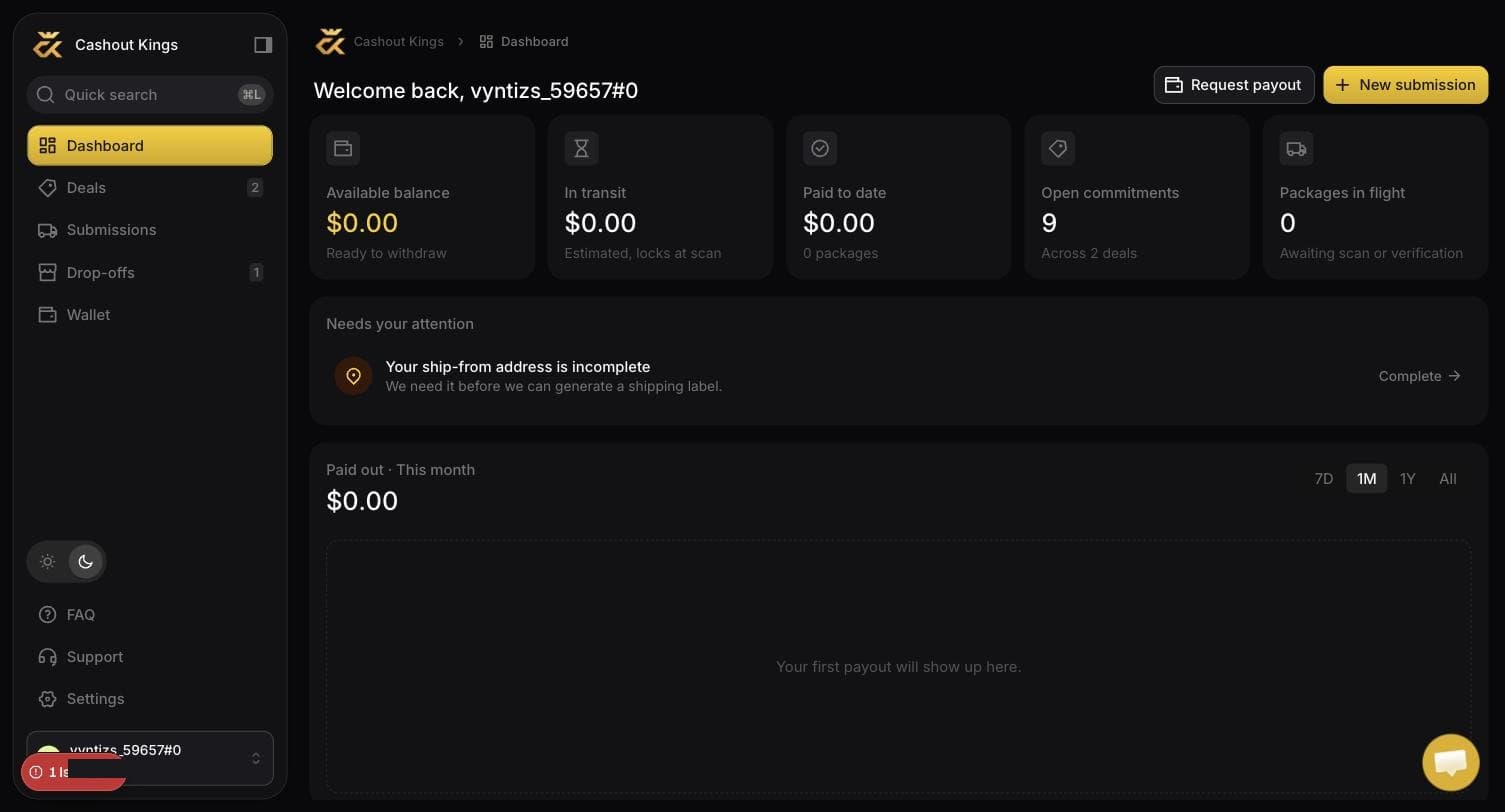
The dashboard is where you land afterwards. Needs your attention is the part worth reading — above, it is telling this account that its ship-from address is incomplete, which is what would stop us buying a label.
What you are asked for, and why
Goes on the payout when we send money. For Wise in particular the name has to match the account receiving the funds, or the transfer is rejected by the bank rather than by us.
Only needed if you want us to buy your shipping labels. The label needs a sender, and that is you. If you always arrange your own shipping or only ever drop off in person, you can leave it and the app will ask again the first time you request a label.
Used by the warehouse when a package arrives with a problem that stops it being checked in, and by us if a payout bounces. It is not used for marketing.
What is not asked for
We do not ask for bank details at signup. A payout method is set up separately, later, and it is protected by a code sent to your email — because changing where money goes is the one action worth slowing down.
Changing any of it later
Everything above lives under Settings → Profile and can be changed at any time. Changing your address does not affect labels that have already been bought.
Changing your payout method is different
That lives under Wallet → Payout method and requires an emailed code each time. See Payout methods.