Reference
Every status, explained
A complete list of the states you can see in the app and what each one means for you.
Commitments
| Status | Meaning | Your move |
|---|---|---|
| Committed | You said you will send it. Nothing in motion. | Send it, or cancel it. |
| Submitted | It is inside a package or drop-off. | Wait. |
| Received | The warehouse checked it in. | Nothing. |
| Paid | Credited to your balance. | Withdraw. |
| Cancelled | Withdrawn by you, or the deal closed. | Nothing. |
Submissions (packages)
| Status | Meaning | Your move |
|---|---|---|
| Label generating | We are buying the label. Usually under a minute. | Wait, then print it. |
| In transit | Waiting for the carrier to scan it. | Ship it if you have not. |
| Processing | It reached the warehouse and is being checked in. 1–3 business days. | Wait. |
| Paid | Verified and credited. | Nothing. |
Drop-offs
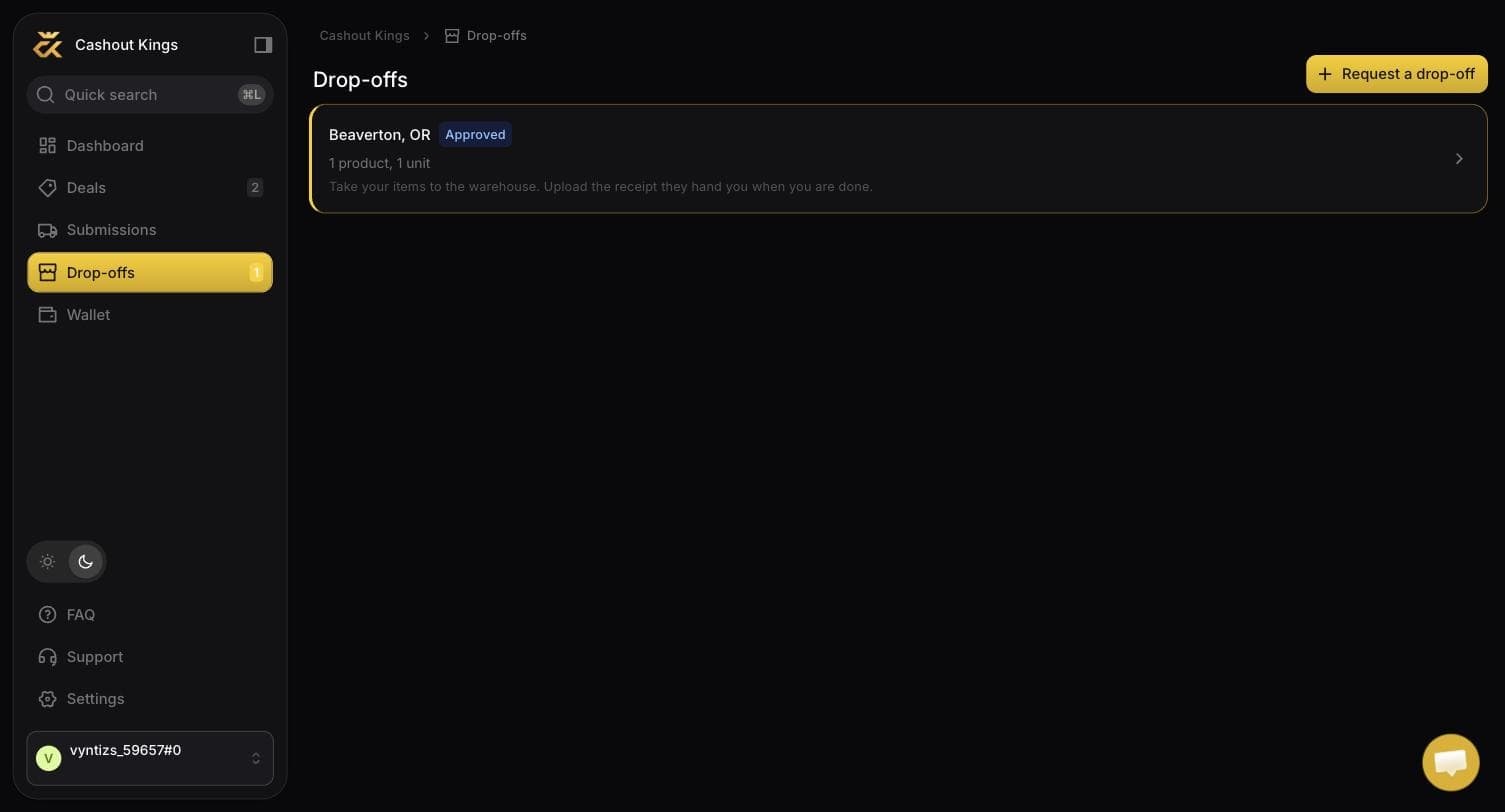
| Status | Meaning | Your move |
|---|---|---|
| Waiting for approval | We are reviewing it. | Wait. Do not set off. |
| Approved | Cleared to go. | Drive there, then upload the receipt. |
| Receipt accepted | The receipt matched. It is now a package. | Wait for check-in. |
| Not approved | We cannot take this one. The reason is on the request. | Read the reason. Commitments are untouched. |
| Cancelled | You withdrew it. | Nothing. |
The sidebar tells you whose turn it is
The Drop-offs item carries a count when something is waiting on you — which in practice means approved and not yet delivered.
Payouts
| Status | Meaning |
|---|---|
| Pending | Requested, in the finance queue. Your balance is locked. |
| Sent | Money has left our account. You are emailed. |
Items inside a package
| Status | Meaning |
|---|---|
| Pending | Expected but not yet checked in. |
| Received | Checked in and counted. |
| Damaged | Arrived damaged, held for review rather than auto-credited. |
| Credited | Paid into your balance. |