Dropping off in person
Requesting a drop-off, what happens at the counter, and how the receipt turns into money.
If you can drive to one of our warehouses, you can hand stock over the counter instead of shipping it. No label, no carrier, no shipping cost.
Do not just turn up
A drop-off has to be approved before you set off. The warehouse will not accept goods they are not expecting, and the wasted journey is the whole reason approval exists.
The flow
Request it
Drop-offs → Request a drop-off. Pick how many of each committed item you are bringing, then pick the warehouse.
Items come first on purpose: choosing them narrows the warehouse list to sites that accept everything you selected, so you cannot pick a site that will turn half your load away.
Optionally say which day you are coming. It is not binding — it just lets the warehouse expect you.
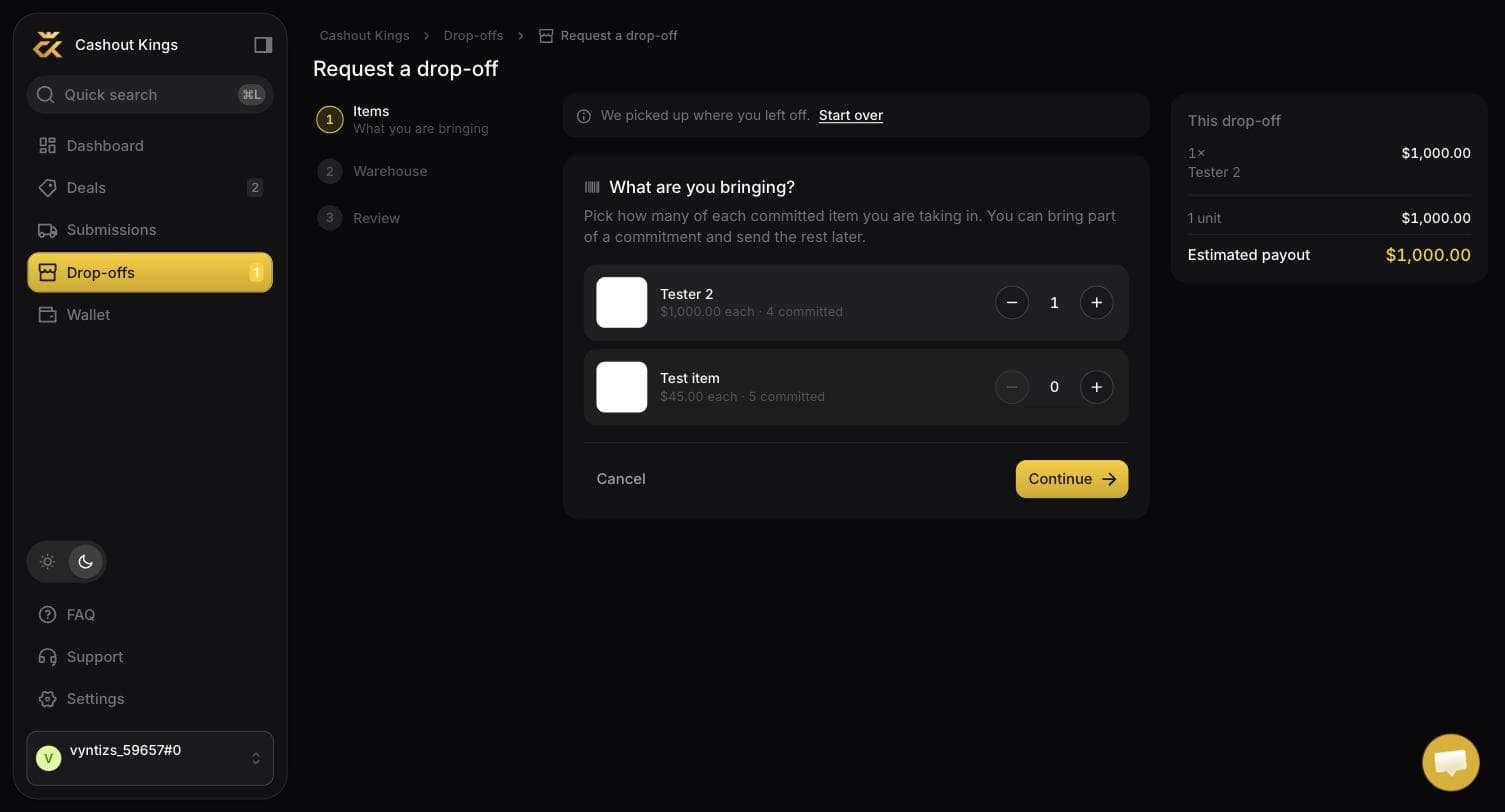
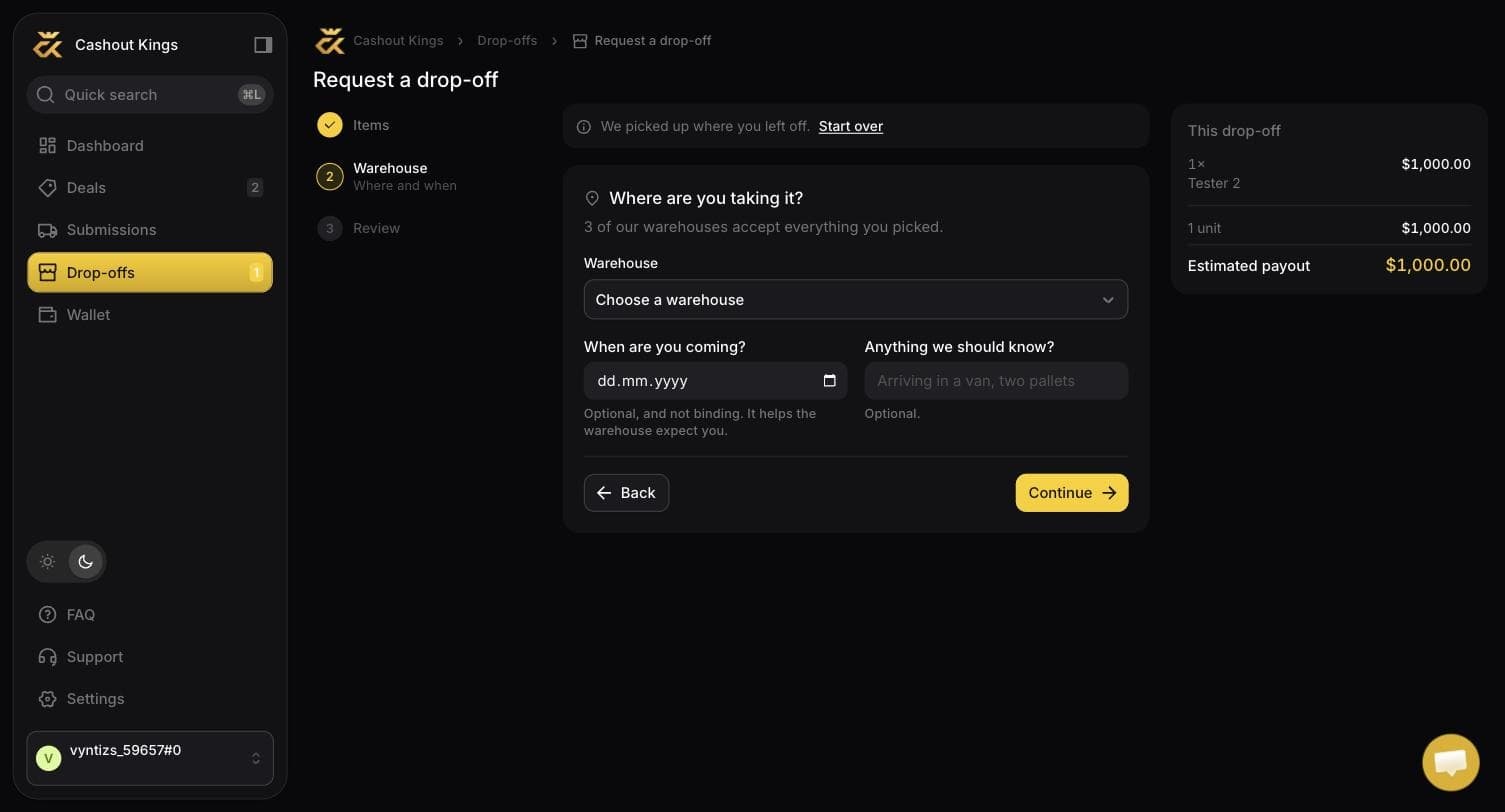
Note the line above the picker: "3 of our warehouses accept everything you picked." Choose different items and that number changes.
Wait for approval
We review it. You will see the request as Waiting for approval, and the Drop-offs item in the sidebar carries a count when something is waiting on you rather than on us.
Read the approval email
When it is approved you get an email containing the full warehouse address, the receiver code, your manifest, and the agreed day and time if we set one.
The address is in the body of the email rather than behind a link, deliberately — so it is readable in a loading bay with one bar of signal.
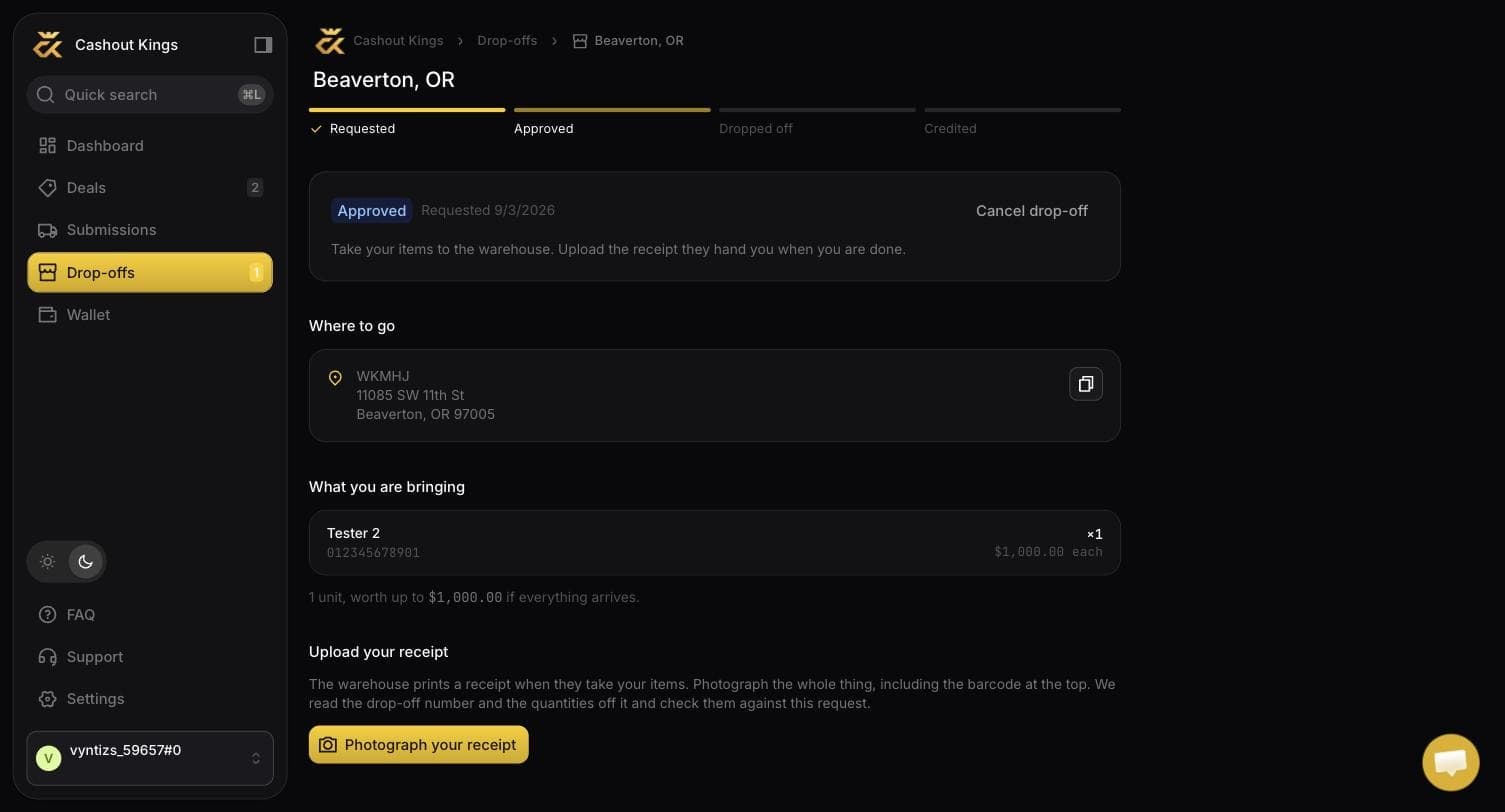
The same address is on the drop-off in the app, with a copy button. The track across the top shows how far along you are.
Check the day
We can change the date or time when approving. If the warehouse needed you on Thursday rather than Tuesday, the email says so. Read it before you load the car.
Go, and give them the receiver code
At the counter, give the name shown in the email — the receiver code, currently
WKMHJ. Never your own name, and never "Cashout Kings". Goods logged under
any other name cannot be matched to your account.
Photograph the receipt before you leave
The warehouse prints a Blue Ocean Drop Off Receipt. It carries a barcode and a drop-off number that looks like this:
CA-WKMHJ-CHAD-090226110853That number is the only thing tying your visit to your account. Photograph the whole receipt, including the barcode at the top, and upload it in the app before you drive off.
The app reads it
We read the drop-off number, the warehouse and the quantities off the photo and check them against what was approved. If everything matches, the drop-off is accepted and becomes a package like any other — from there it is checked in and credited exactly as a shipped one is.
The receipt, field by field
| On the receipt | What it is |
|---|---|
| Barcode number | The drop-off number. The identity of this hand-over. |
| Drop Off Warehouse ID | Which site took it, e.g. CA5001. Must match what was approved. |
| Drop Off Time | When they logged it. |
| Customer ID | Always WKMHJ. This is us, not you. |
| Drop Off Person | Whoever handed it over. |
| UPC (qty) | The line items. This is what you are paid on. |
Bringing fewer than approved
Completely fine. If you were approved for 10 and bring 6, the receipt says 6, you are paid for 6, and the other 4 stay committed. The app shows both numbers side by side so the difference is visible rather than silently absorbed.
Bringing more than approved is refused, because nobody agreed to it. Update the request first.
If the photo will not read
Usually glare on the barcode or a cropped photo. Retake it flat, in even light, with the whole receipt in frame including the top.
The site on the receipt does not match the approved request. If the warehouse genuinely redirected you, contact support rather than re-uploading — the request has to be corrected on our side.
The counter logged something that was not approved. Contact support with the photo; it is resolved by hand.
A drop-off number can only be used once. If you have not used it, tell support immediately — it means somebody else uploaded your receipt.
Cancelling
You can cancel a drop-off any time before you upload a receipt, whether or not it has been approved. Your commitments are untouched.