Shipping a package
The submission wizard step by step, label versus your own carrier, and how insurance is priced.
Submissions → New submission builds a package. It is five steps and it saves as you go, so you can leave and come back.
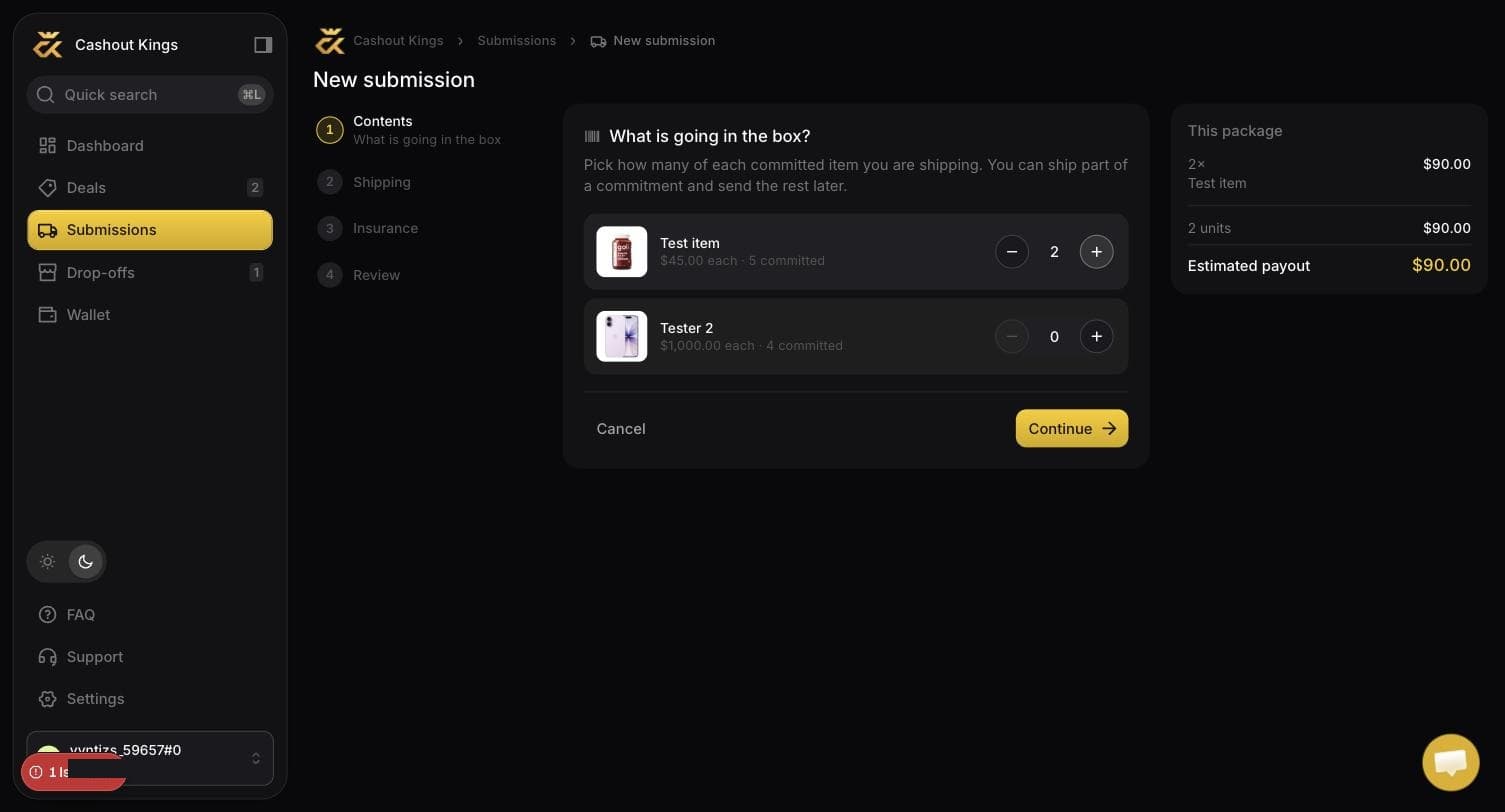
The panel on the right is the running total. It is visible at every step, so the number you are deciding against never leaves the screen.
Contents
Set how many of each committed item are going in this box. You can ship part of a commitment and send the rest later.
The running payout appears on the right and updates as you go, so you always know what this package is worth before you commit to shipping it.
One warehouse per package
If you pick items that no single warehouse accepts, the wizard says so and will not let you continue. Remove the odd one out and send it as its own package.
Shipping method
Two choices:
- We buy the label. We purchase it from the carrier and it appears in your submission, usually within a minute. This needs a complete address on your profile, because the label needs a sender.
- I will ship it myself. You arrange your own carrier and paste the tracking number in a later step.
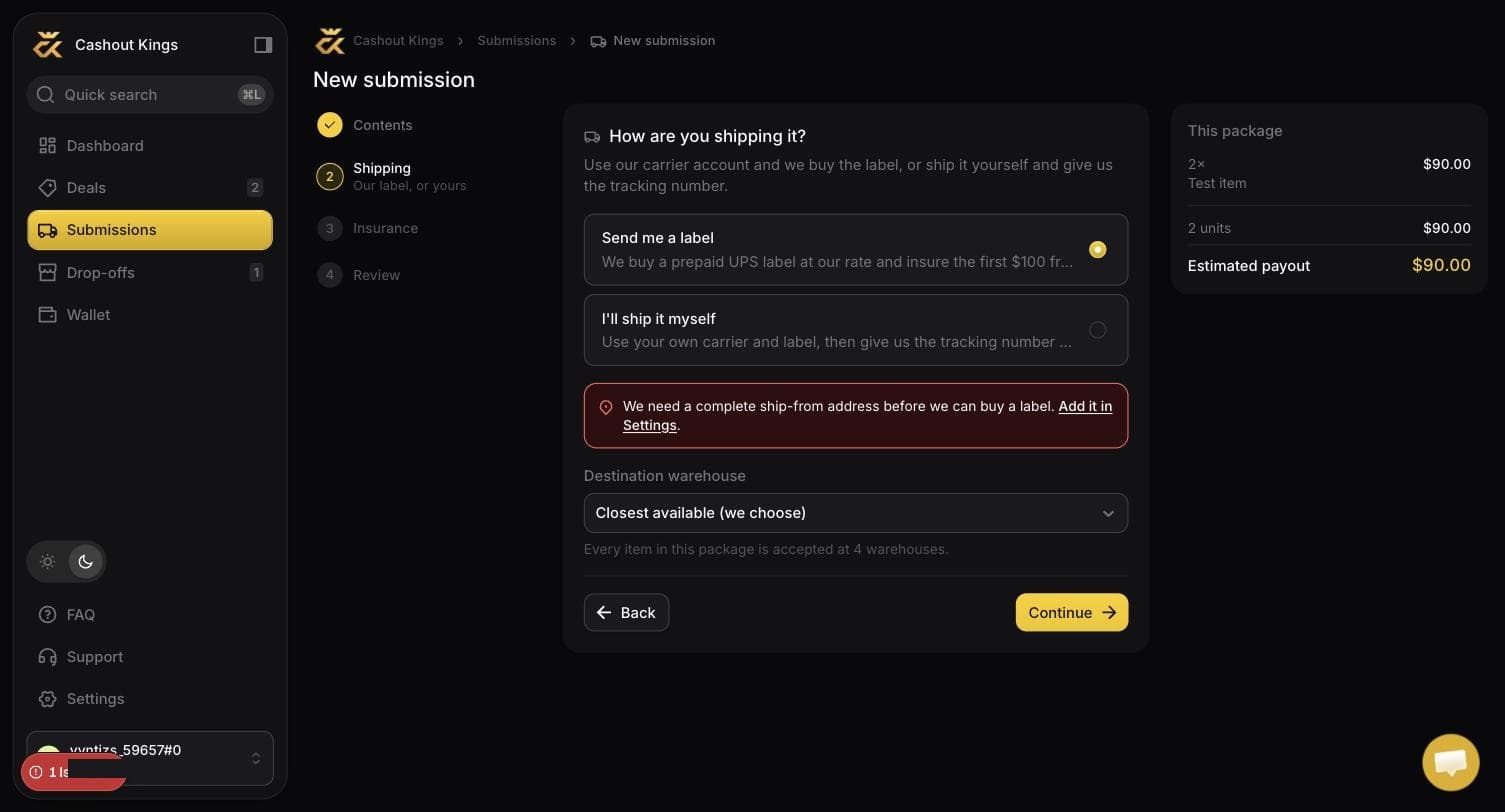
If your profile has no complete address, the label option says so here rather than failing later.
Insurance
Only applies when we buy the label. You declare a value and the fee is deducted from your payout rather than charged separately.
| Declared value | Fee |
|---|---|
| First $100 | Free |
| Every $100 above that | $1.50 |
| Maximum declared value | $5,000 |
So a $1,000 declared value costs $13.50, taken off the payout for that package.
Declare what it is worth to you
Insurance pays out against the carrier losing or destroying the box. It does not cover a unit being rejected at check-in for condition — nothing does, and that risk is managed by buying sealed stock and packing it properly.
Tracking
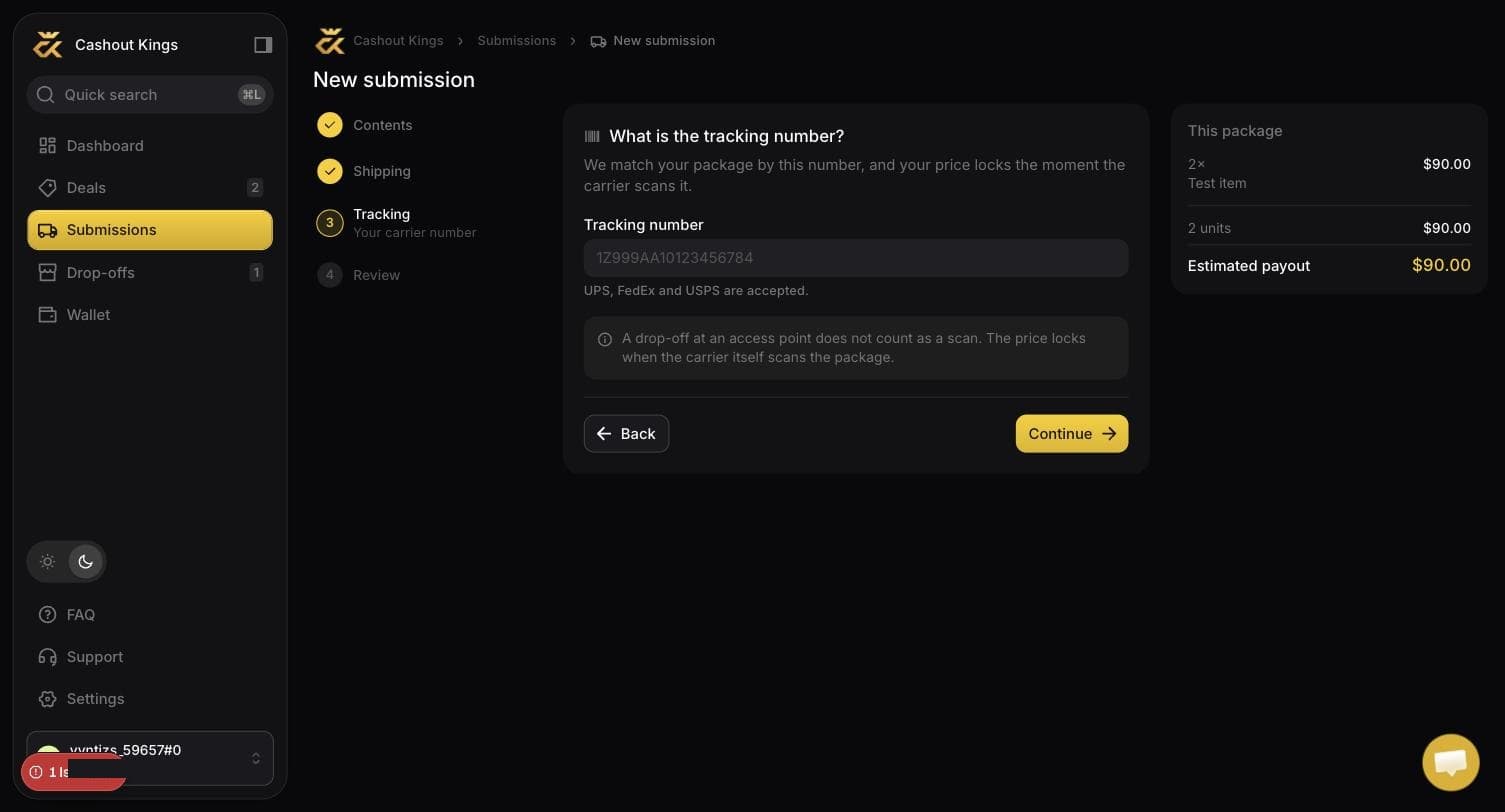
If you are shipping it yourself, paste the tracking number here. We accept UPS, USPS and FedEx formats and the app validates the shape before accepting it.
If we bought the label, this step is filled in for you.
Review
Everything on one screen: contents, destination, insurance, and the estimated payout net of the insurance fee. Submitting creates the package and takes you to it.
After you submit
The submission moves through four states. Each one is shown in the app with a line explaining what it means.
| Status | What is happening |
|---|---|
| Label generating | We are buying the label from the carrier. Usually under a minute. |
| In transit | Waiting for the carrier to scan it. |
| Processing | It reached the warehouse and is being checked in. This takes 1–3 business days. |
| Paid | Verified and credited to your balance. |
Common mistakes
The package cannot be matched to your account and will sit unclaimed. Address it to the receiver code shown on the deal. See Packing and labelling.
One submission is one tracking number. If it physically needs two boxes, create two submissions so each has its own tracking.
The extra units have nothing to match against. Edit the submission before you ship, or send the surplus separately with its own commitment.
Fine. It will show as in transit until the carrier's first scan. Just make sure it is the right number — a typo means the package arrives and cannot be matched.